Server Plugins
Add a Custom Mod Icon
Learn how to add your mod icon to the World Mod Settings tab.
Written by Siren
Overview
This guide explains how to add a mod icon to your mod inside the World Mod Settings tab, as shown in the image below.

Steps
- Prepare your mod icon. If you don’t already have one, you’ll need to create it.
- Resize your mod icon to 256x256 and save the new PNG file as
icon-256.png. - Move the
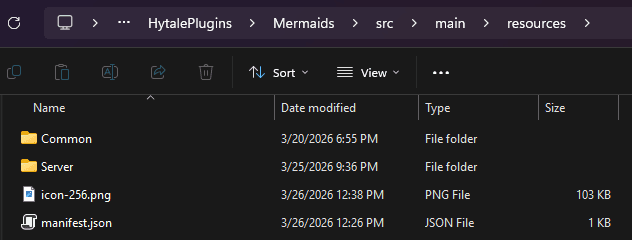
icon-256.pngfile to your mod's resources folder.
icon-256.png
| File | Location | File Resolution |
|---|---|---|
| icon-256.png | resources/ | 256x256 |